Overview
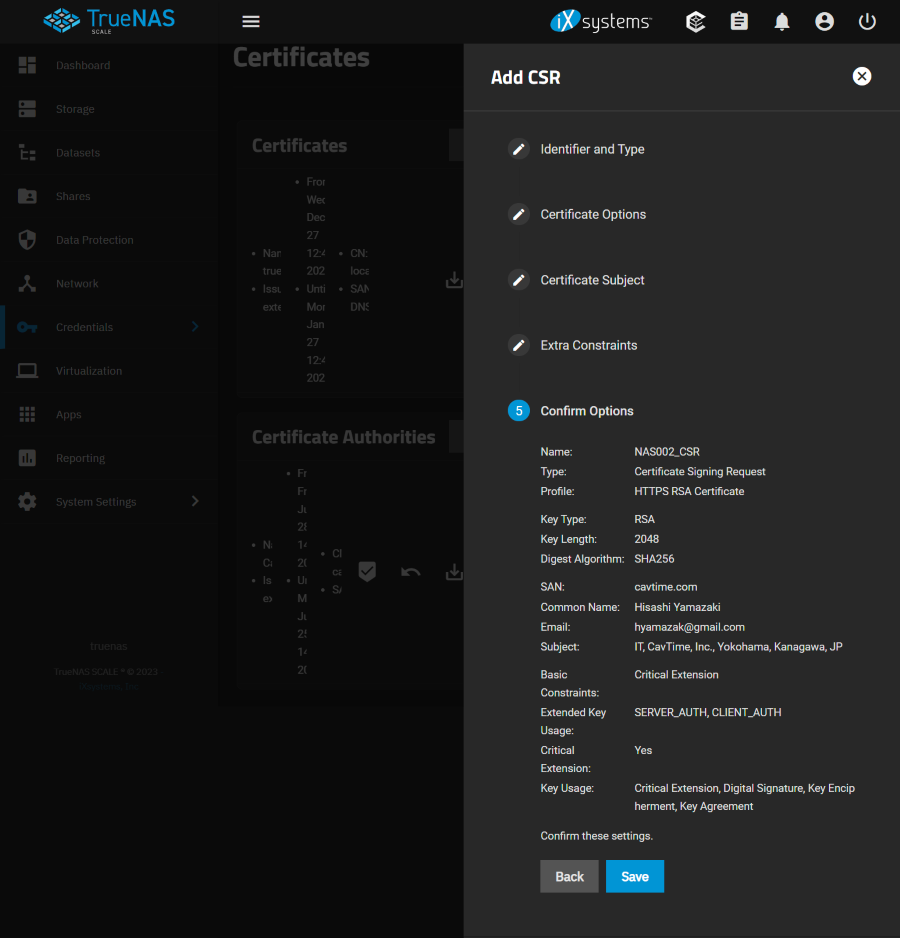
TrueNAS Scale で CSR を作成する手順を確認する。
Reference
Environment
TrueNAS Scale 23.10.0.1
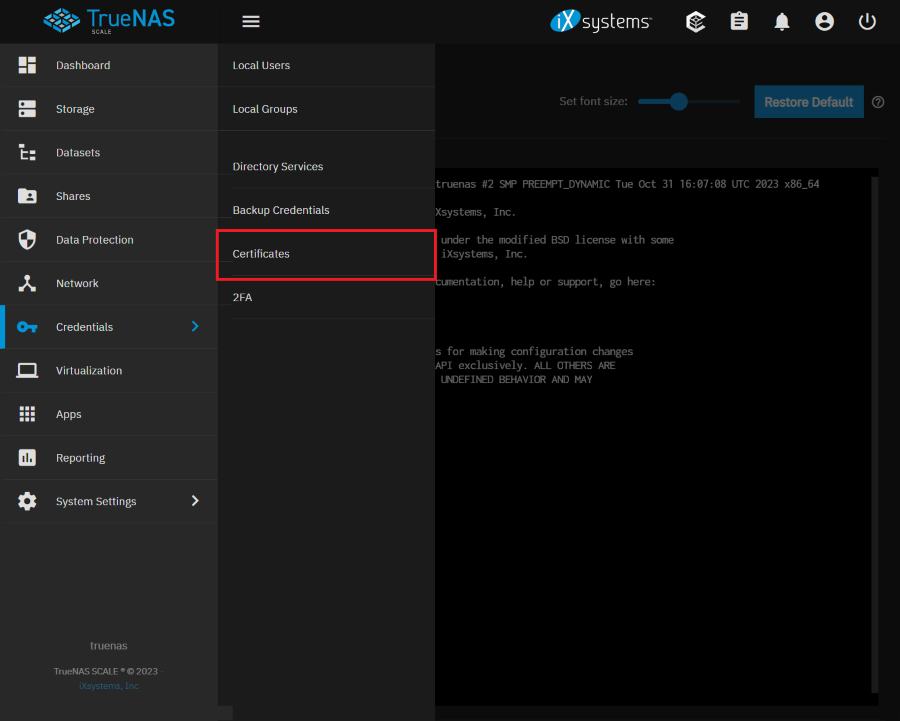
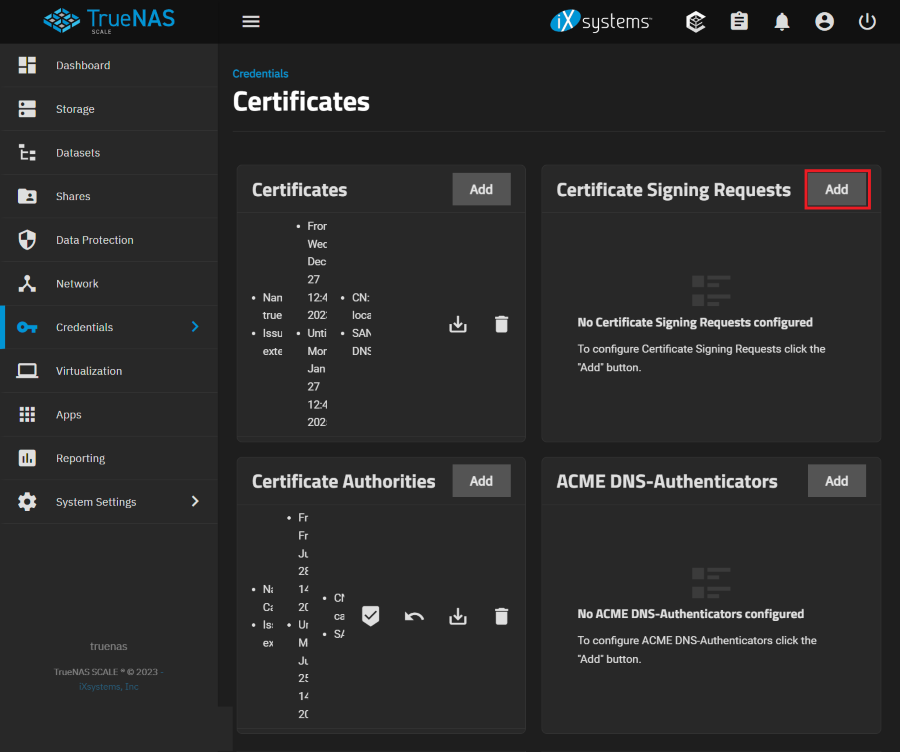
Certificate Signing Requests
Identifier and Type
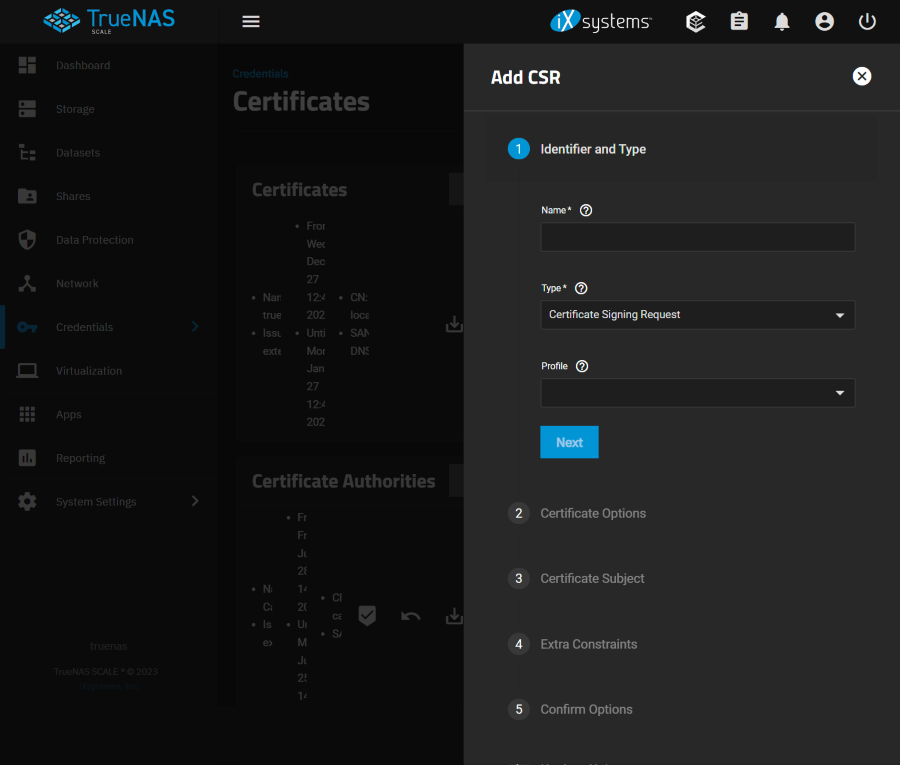
Name
Descriptive identifier for this certificate.
Type
Certificate Signing Requests control when an external CA will issue (sign) the certificate. Typically used with ACME or other CAs that most popular browsers trust by default Import Certificate Signing Request lets you import an existing CSR onto the system. Typically used with ACME or internal CAs.
- Certificate Signing Request
- Import Certificate Signing Request
Profile
Predefined certificate extensions. Choose a profile that best matches your certificate usage scenario.
- HTTPS RSA Certificate
- HTTPS ECC Certificate
Certificate Options

Key Type
See Why is elliptic curve cryptography not widely used, compared to RSA? for more information about key types.
- RSA
- EC
Key Length
The number of bits in the key used by the cryptographic algorithm. For security reasons, a minimum key length of 2048 is recommended.
- 1024
- 2048
- 4096
Digest Algorithm
The cryptographic algorithm to use. The default SHA256 only needs to be changed if the organization requires a different algorithm.
- SHA1
- SHA224
- SHA256
- SHA384
- SHA512
Certificate Subject
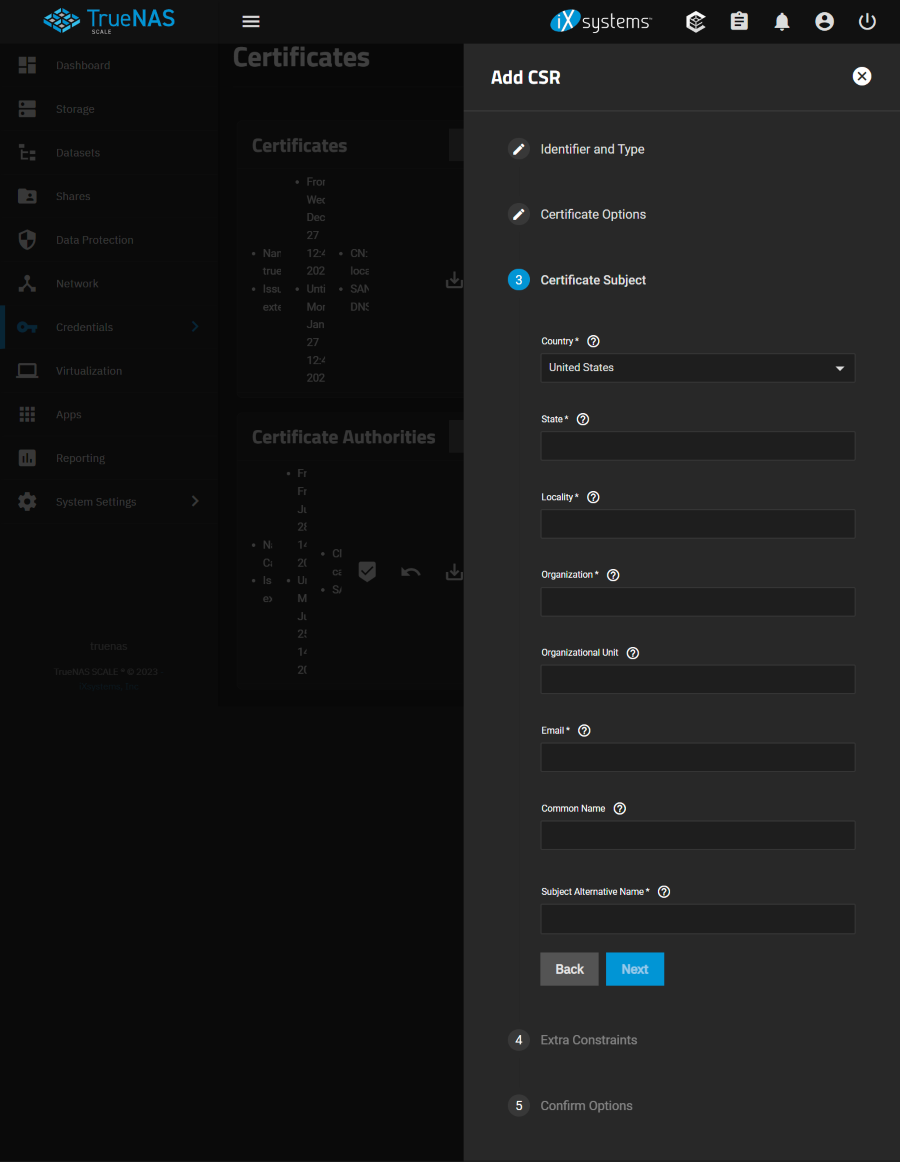
Country
Select the country of the organization.
- United State / default
- and others
State
Enter the state or province of the organization.
Locality
Enter the location of the organization. For example, the city.
Organization
Enter the name of the company or organization.
Organizational Unit
Organizational unit of the entity.
Enter the email address of the person responsible for the CA.
Common Name
Enter the fully-qualified hostname (FQDN) of the system. This name must be unique within a certificate chain.
Subject Alternative Name
Multi-domain support. Enter additional domains to secure. Separate domains by pressing
EnterFor example, if the primary domain is example.com, entering www.example.com secures both addresses.
Extra Constraints

Basic Constraints
Activate the Basic Constraints extension to identify whether the certificate’s subject is a CA and the maximum depth of valid certification paths that include this certificate.
- Checked / default
Path Length
How many non-self-issued intermediate certificates that can follow this certificate in a valid certification path. Entering 0 allows a single additional certificate to follow in the certificate path. Cannot be less than 0.
Basic Constraints Config
Specify whether to use the certificate for a Certificate Authority and whether this extension is critical. Clients must recognize critical extensions to prevent rejection. Web certificates typically require you to disable CA and enable Critical Extension.
- CA / unselect
- Critical Extension / unselect
Extended Key Usage
Activate this certificate extension.The Extended Key Usage extension identifies and limits valid uses for this certificate, such as client authentication or server authentication.See RFC 3280, section 4.2.1.13 for more details.
- Checked / default
Usages
Identify the purpose for this public key. Typically used for end entity certificates. Multiple usages can be selected. Do not mark this extension critical when the Usage is ANY_EXTENDED_KEY_USAGE.
Using both Extended Key Usage and Key Usage extensions requires that the purpose of the certificate is consistent with both extensions. See RFC 3280, section 4.2.1.13 for more details.
- ANY_EXTENDED_KEY_USAGE
- CERTIFICATE_TRANSPARENCY
- CLIENT_AUTH / Selected
- CODE_SIGNING
- EMAIL_PROTECTION
- IPSEC_IKE
- KERBEROS_PKINIT_KDC
- OCCP_SIGNING
- SERVER_AUTH / Selected
- SMARTCARD_LOGON
- TIME_STAMPING
Critical Extension
Identify this extension as critical for the certificate. Critical extensions must be recognized by the certificate-using system or this certificate will be rejected. Extensions identified as not critical can be ignored by the certificate-using system and the certificate still approved.
- Checked / default
Key Usage
Activate this certificate extension. The key usage extension defines the purpose (e.g., encipherment, signature, certificate signing) of the key contained in the certificate. The usage restriction might be employed when a key that could be used for more than one operation is to be restricted. For example, when an RSA key should be used only to verify signatures on objects other than public key certificates and CRLs, the Digital Signature bits would be asserted. Likewise, when an RSA key should be used only for key management, the Key Encipherment bit would be asserted.
See RFC 3280, section 4.2.1.3 for more information.
- Checked / default
Key Usage Config
Specify this certificate’s valid Key Usages. Web certificates typically need at least Digital Signature and possibly Key Encipherment or Key Agreement, while other applications may need other usages.
- Digital Signature / Selected
- Content Commitment
- Key Enciphement / Selected
- Date Enciphement
- Key Agreement / Selected
- Key Cert Sign
- CRL Sign
- Encipher Only
- Decipher Only
- Critical Extension / Selected
Confirm Options