Overview
SMB の Filesystem ACL の設定項目を確認する。
Reference
Environment
TrueNAS Scale 23.10.0.1
Filesystem ACL (Basic)
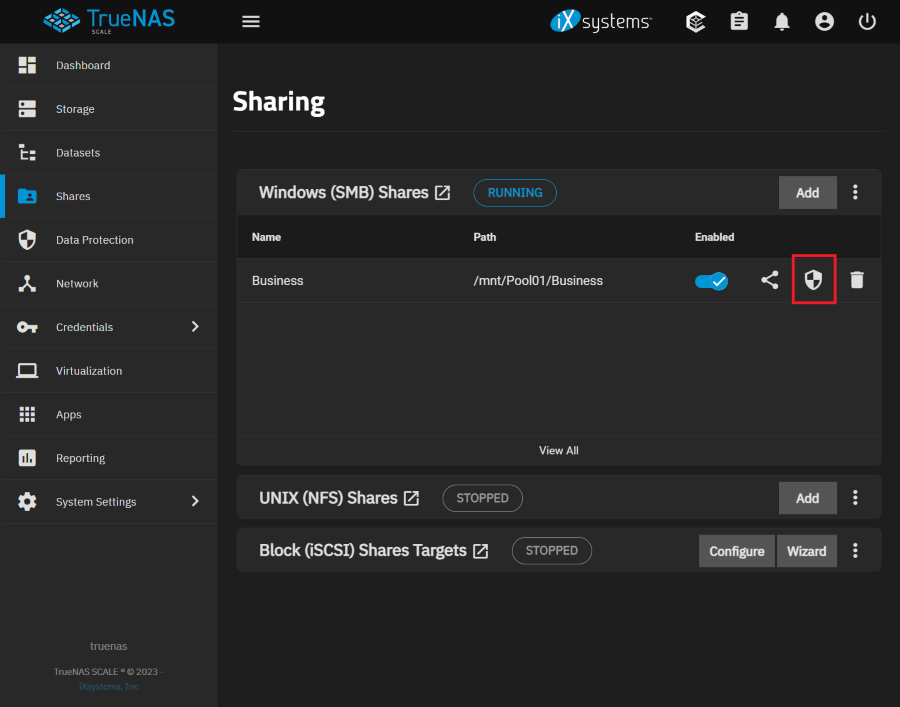
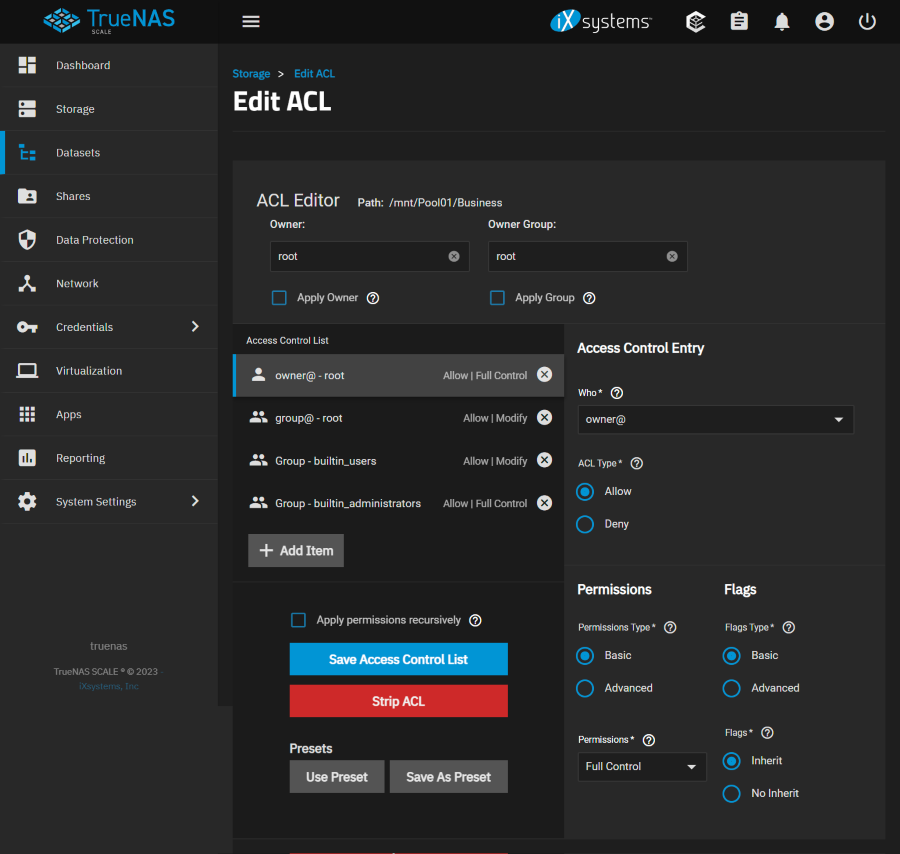
ACL Editor
Owner
- root / default
Apply Owner
Confirm changes to User. To prevent errors, changes to the User are submitted only when this box is set.
- Unchecked / default
Owner Group
- root / default
Apply Group
Confirm changes to Group. To prevent errors, changes to the Group are submitted only when this box is set.
- Unchecked / default
Access Control Entry
Who
Access Control Entry (ACE) user or group. Select a specific User or Group for this entry, owner@ to apply this entry to the user that owns the dataset, group@ to apply this entry to the group that owns the dataset, or everyone@ to apply this entry to all users and groups. See nfs4_setfacl(1) NFSv4 ACL ENTRIES.
- User
- Group
- owner@
- group@
- everyone@
ACL Type
How the Permissions are applied to the chosen Who. Choose Allow to grant the specified permissions and Deny to restrict the specified permissions.
- Allow / default
- Deny
Permissions
Permissions Type
Choose the type of permissions. Basic shows general permissions. Advanced shows each specific type of permission for finer control.
- Basic / default
- Advanced
Permissions
Select permissions to apply to the chosen Who. Choices change depending on the Permissions Type.
- Full Control / default
- Read
- Modify
- Traverse
Flags
Flags Type
Select the set of ACE inheritance Flags to display. Basic shows nonspecific inheritance options. Advanced shows specific inheritance settings for finer control.
- Basic / default
- Advanced
Flags
How this ACE is applied to newly created directories and files within the dataset. Basic flags enable or disable ACE inheritance. Advanced flags allow further control of how the ACE is applied to files and directories in the dataset.
- Inherit / default
- No Inherit
Access Control List
Apply permissions recursively
Apply permissions recursively to all directories and files in the current dataset.
- Unchecked / default