Overview
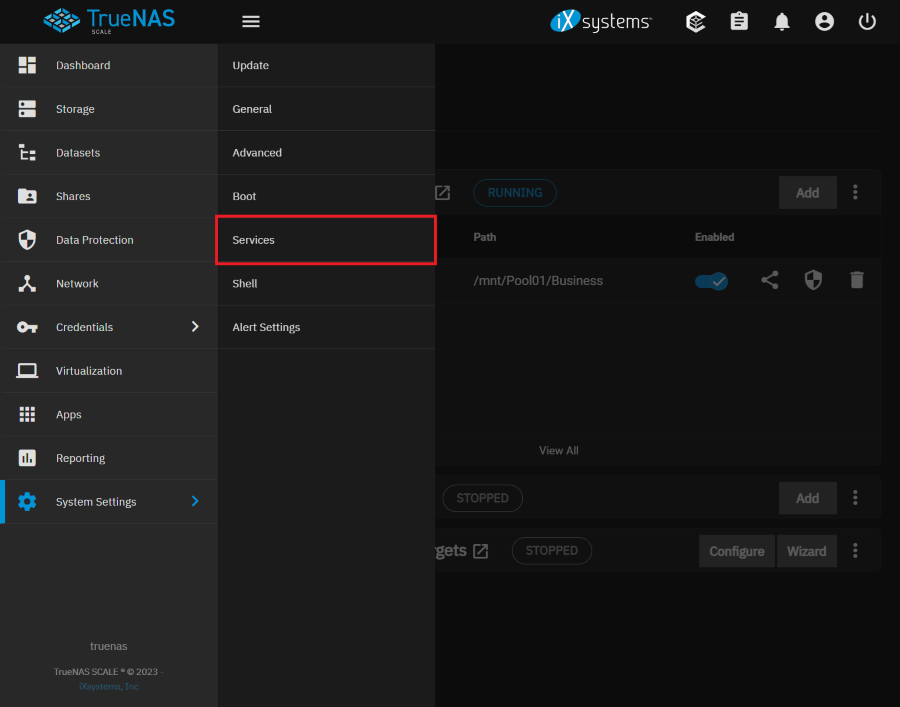
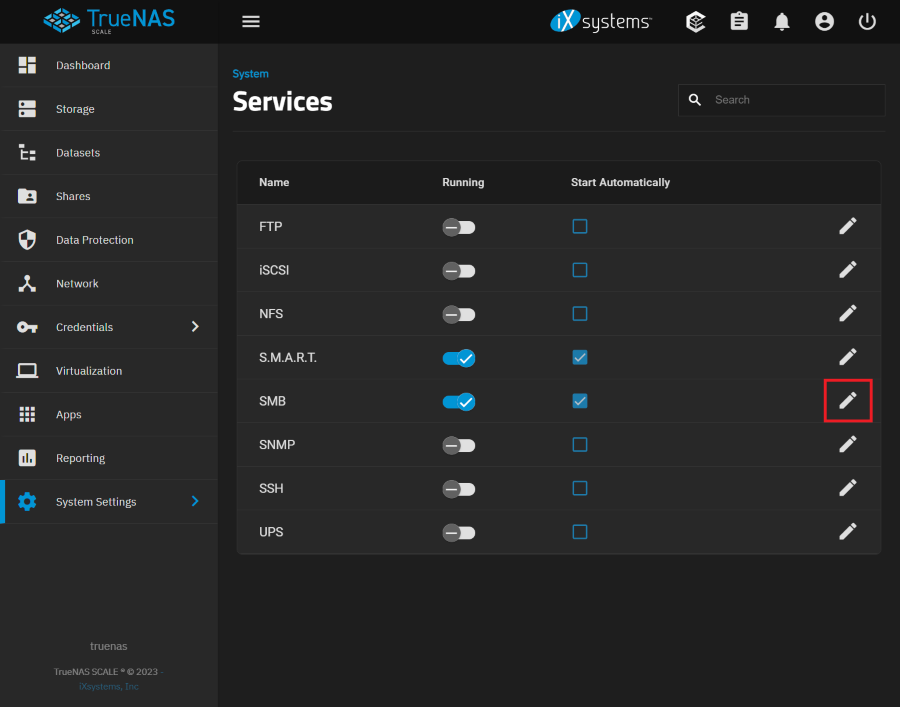
SMB Service の設定項目を確認する。
Reference
Environment
TrueNAS Scale 23.10.0.1
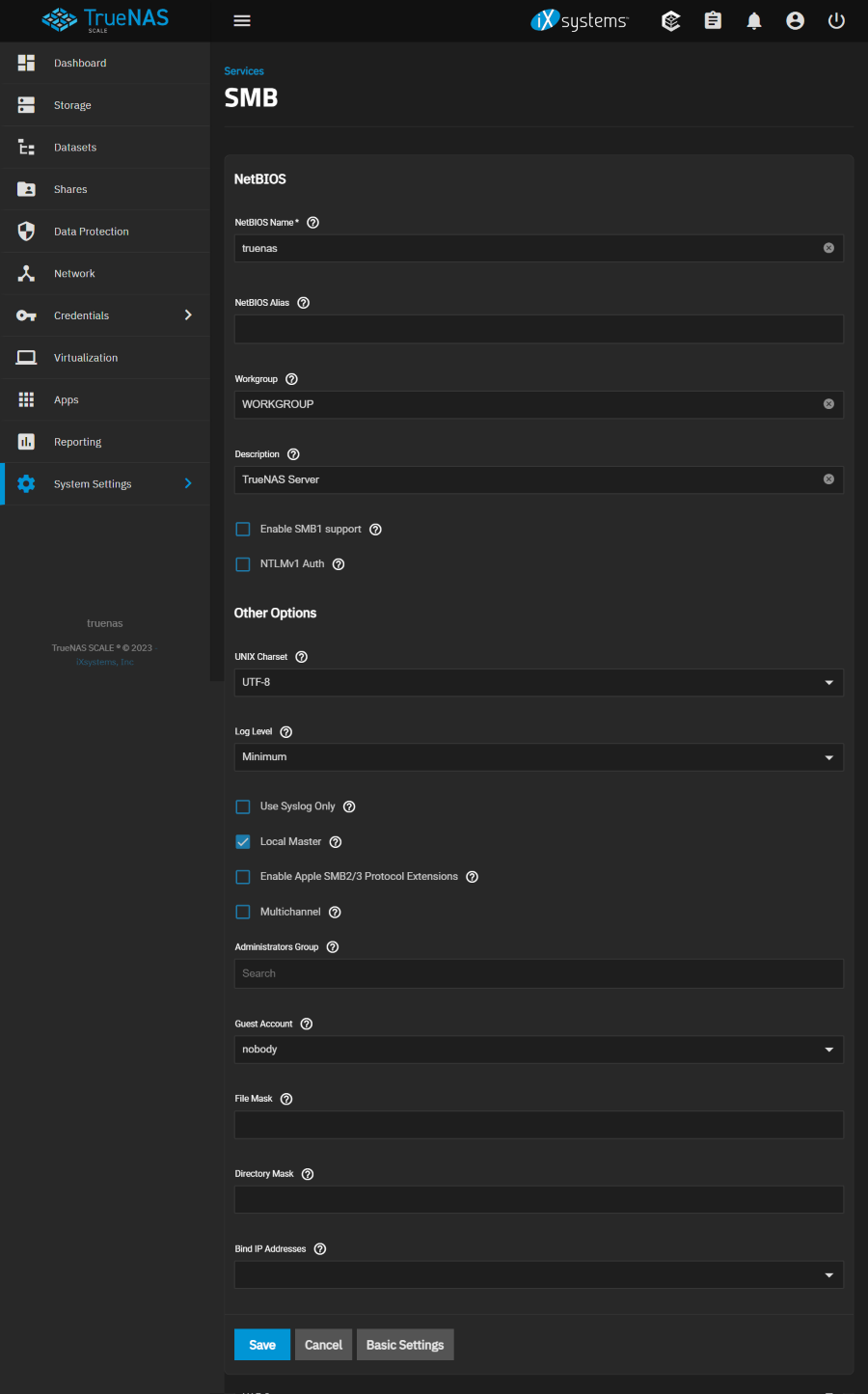
Service SMB Configuration
NetBIOS
NetBIOS Name
Automatically populated with the original hostname of the system. This name is limited to 15 characters and cannot be the Workgroup name.
- truenas / default
NetBIOS Alias
Enter any aliases, separated by spaces. Each alias can be up to 15 characters long.
Workgroup
Must match Windows workgroup name. When this is unconfigured and Active Directory or LDAP are active, TrueNAS will detect and set the correct workgroup from these services.
- WORKGROUP / default
Description
Optional. Enter a server description.
- TrueNAS Server / default
Enable SMB1 support
Use this option to allow legacy SMB clients to connect to the server. Note that SMB1 is being deprecated and it is advised to upgrade clients to operating system versions that support modern versions of the SMB protocol.
- Unchecked / default
NTLMv1 Auth
Off by default. When set, smbd(8) attempts to authenticate users with the insecure and vulnerable NTLMv1 encryption. This setting allows backward compatibility with older versions of Windows, but is not recommended and should not be used on untrusted networks.
- Unchecked / default
Other Options
UNIX Charset
Default is UTF-8 which supports all characters in all languages.
- UTF-8 / default
- and any others
Log Level
Record SMB service messages up to the specified log level. By default, error and warning level messages are logged.
- None
- Minimum / default
- Normal
- Full
- Debug
Use Syslog Only
Set to log authentication failures in /var/log/messages instead of the default of /var/log/samba4/log.smbd.
- Unchecked
Local Master
Set to determine if the system participates in a browser election. Leave unset when the network contains an AD or LDAP server, or when Vista or Windows 7 machines are present.
- Checked
Enable Apple SMB2/3 Protocol Extensions
These protocol extensions can be used by macOS to improve the performance and behavioral characteristics of SMB shares. This is required for Time Machine support.
- Unchecked
Multichannel
SMB multichannel allows servers to use multiple network connections simultaneously by combining the bandwidth of several network interface cards (NICs) for better performance. SMB multichannel does not function if you combine NICs into a LAGG. Read more in docs
- Unchecked
Administrators Group
Members of this group are local admins and automatically have privileges to take ownership of any file in an SMB share, reset permissions, and administer the SMB server through the Computer Management MMC snap-in.
Guest Account
Account to be used for guest access. Default is nobody. The chosen account is required to have permissions to the shared pool or dataset. To adjust permissions, edit the dataset Access Control List (ACL), add a new entry for the chosen guest account, and configure the permissions in that entry. If the selected Guest Account is deleted the field resets to nobody.
- nobody / default
- and any others
File Mask
Overrides default file creation mask of 0666 which creates files with read and write access for everybody.
Directory Mask
Overrides default directory creation mask of 0777 which grants directory read, write and execute access for everybody.
Bind IP Addresses
Static IP addresses which SMB listens on for connections. Leaving all unselected defaults to listening on all active interfaces.